
Learn
Learn Trading Desk
Guides and help for Trading Desk 1.2.0. Every example uses the fictional demo portfolio that comes with the app, and every screen is the app as it ships.
Video tutorials
About a minute or so each, recorded in the app on the fictional demo portfolio, with captions. They play from this site. They are also on YouTube, in the Trading Desk tutorials playlist.
 1:26A quick tour of Trading DeskA quick tour of Trading Desk 1.1.1 on its fictional demo portfolio: the morning brief and how its numbers are checked, your portfolio rules, allocation looking through your funds, your own alerts, a saved screen and a ticker's chart with indicators.
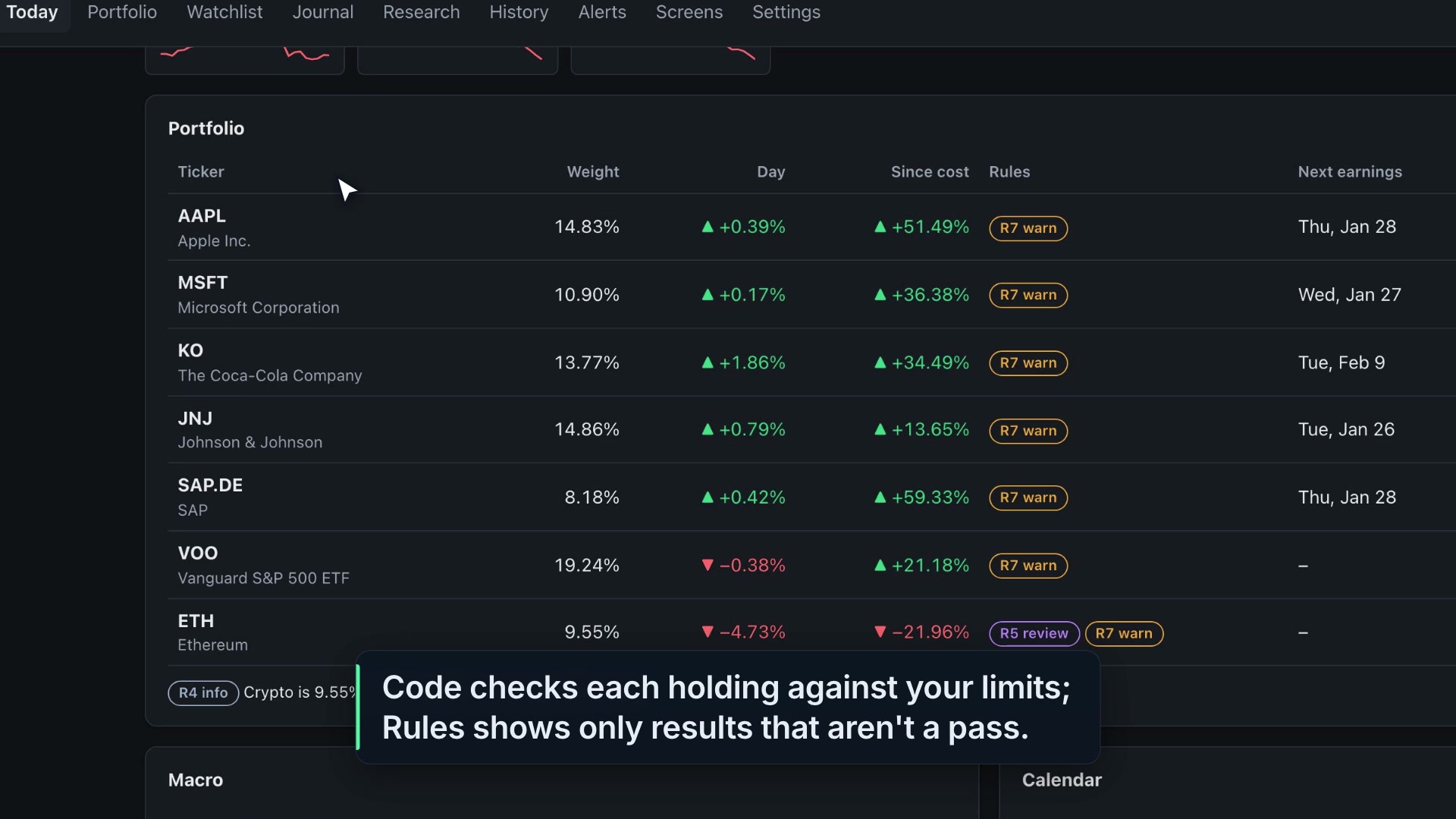 1:32Your portfolio rules in Trading Desk, checked by codeHow Trading Desk 1.1.1 checks a fictional demo portfolio against limits you set: the Rules column on Today, a ticker page's rules for one name, rule results updating while you edit a quantity, and Check a trade with its PASS, REVIEW or BLOCK.
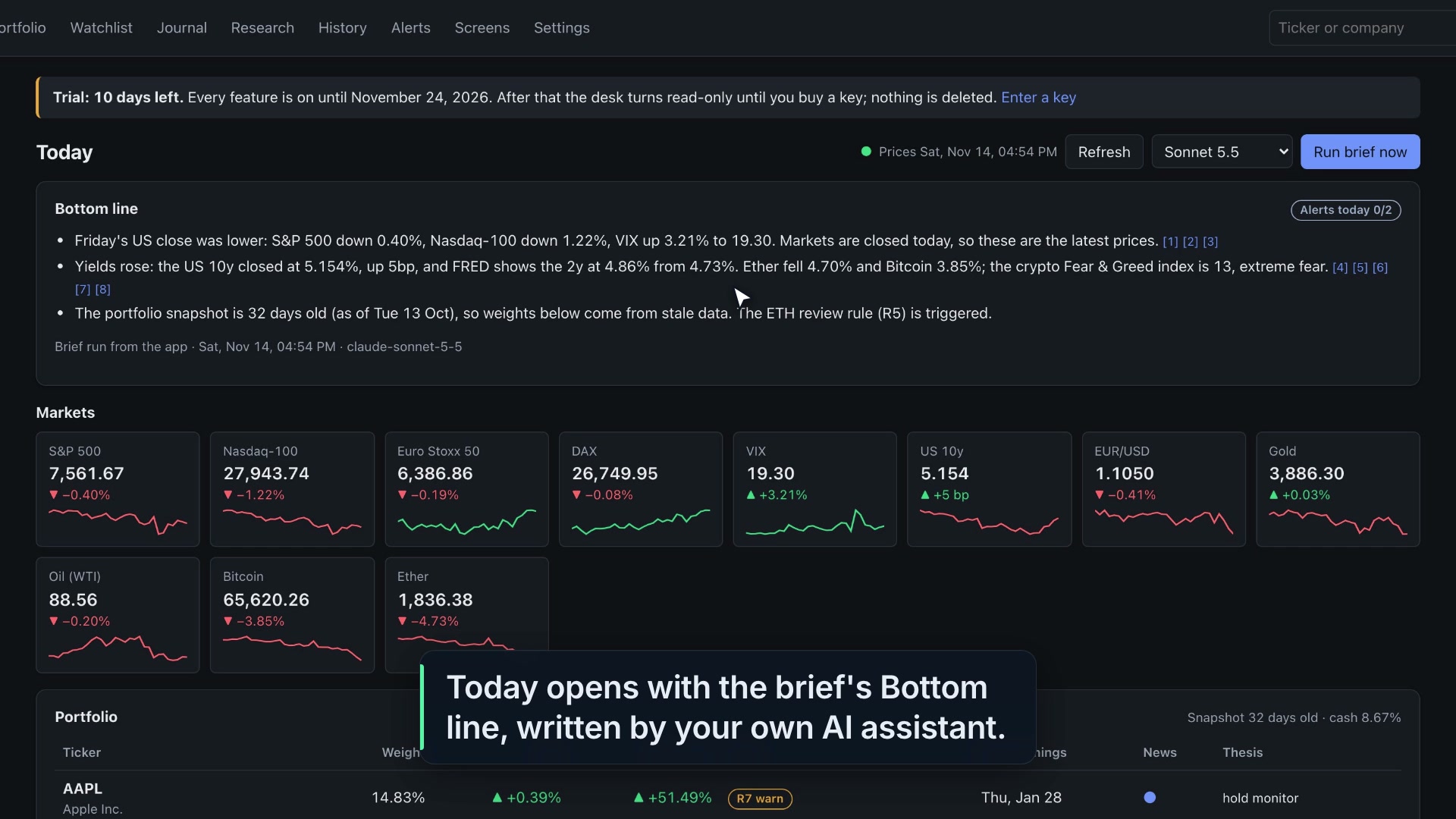
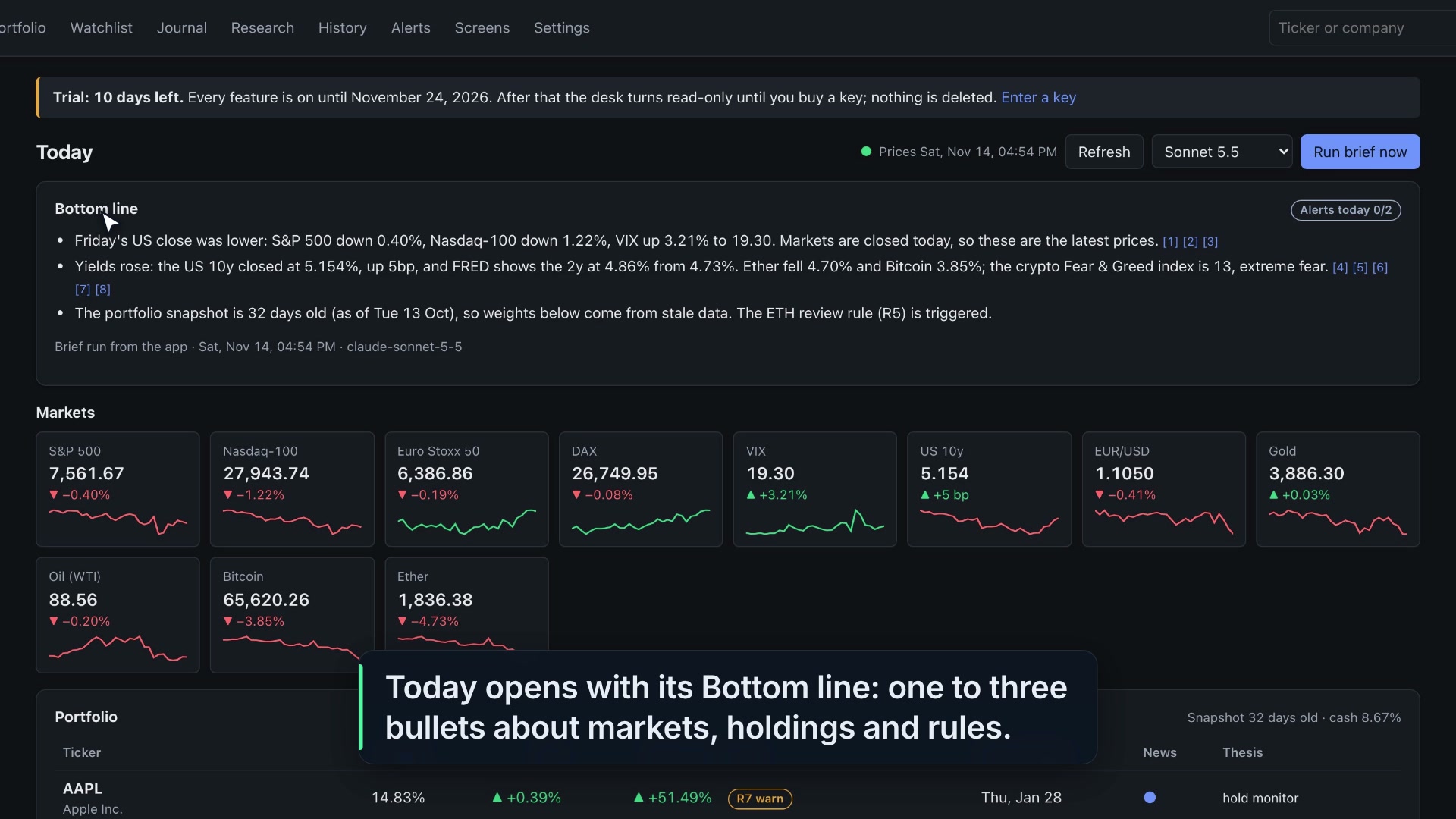 1:14The morning brief in Trading Desk, and how its numbers are checkedHow Trading Desk 1.1.1 writes the morning brief on a fictional demo portfolio: the Bottom line with numbered sources, the pack of facts the AI gets, the check each percentage and price has to pass, and the whole brief as written in History.
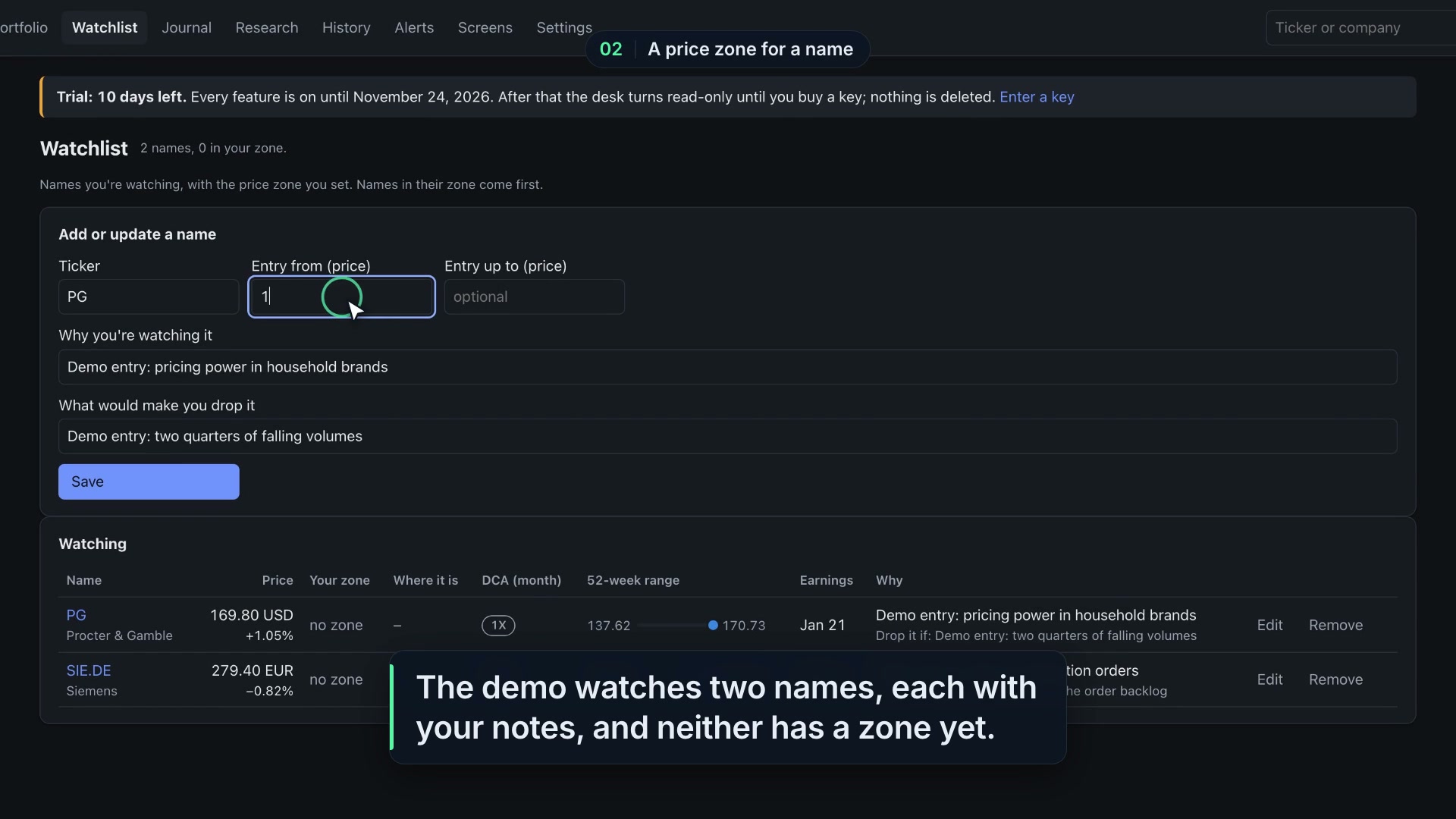 1:20Your own alerts and watchlist price zones in Trading DeskHow Trading Desk 1.1.1 watches price zones you set on a fictional demo watchlist, turns a zone into one of your own alerts, tests an alert without sending anything, and caps how many alerts go out a day.
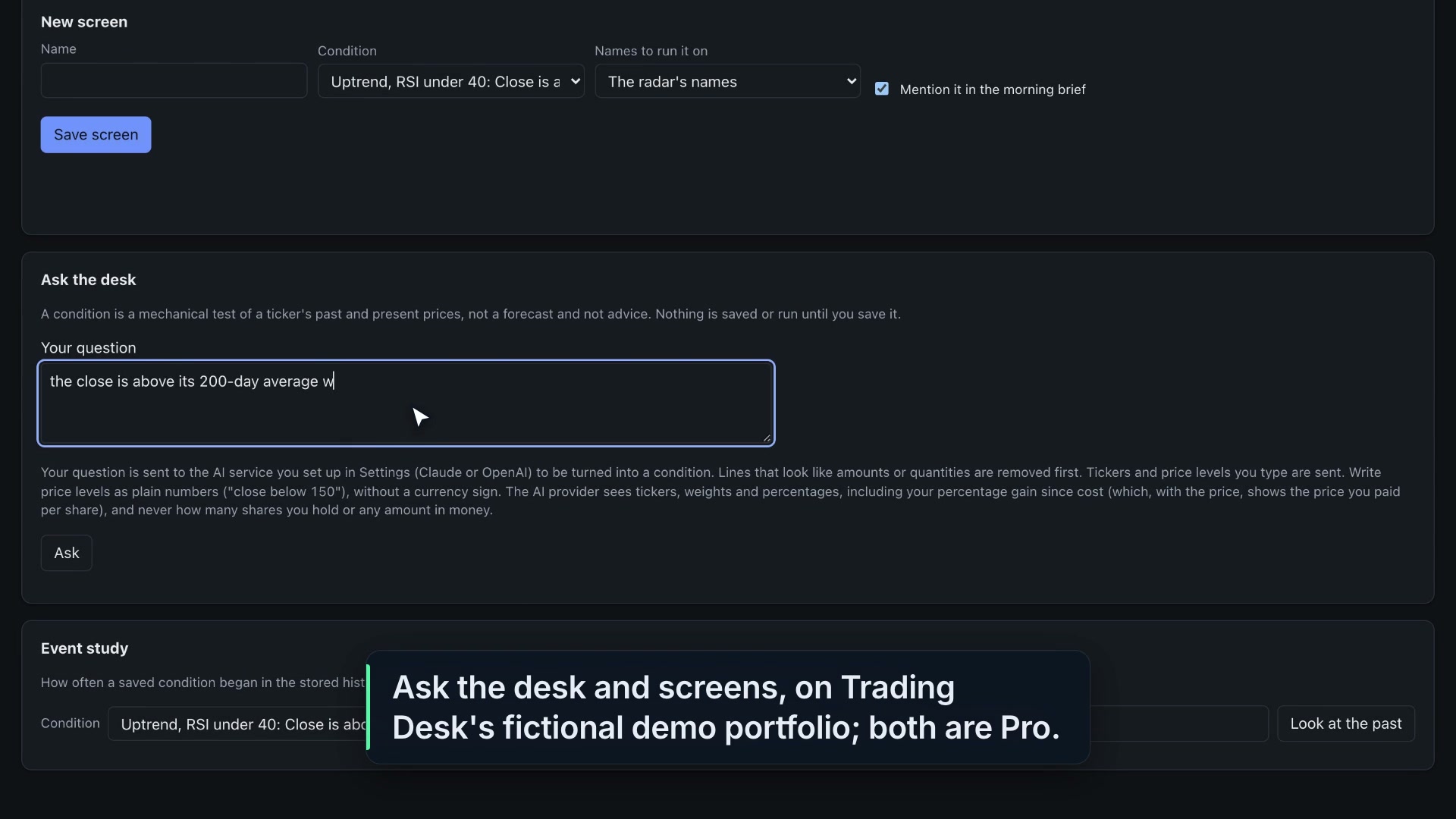 1:28Ask the desk, screens and market breadth in Trading Desk (Pro)How Trading Desk 1.1.1 turns a plain question into a condition, shows the exact text before anything leaves the computer, runs a saved condition as a screen over stored closes, counts market breadth and looks at the past with an event study, on a fictional demo desk.
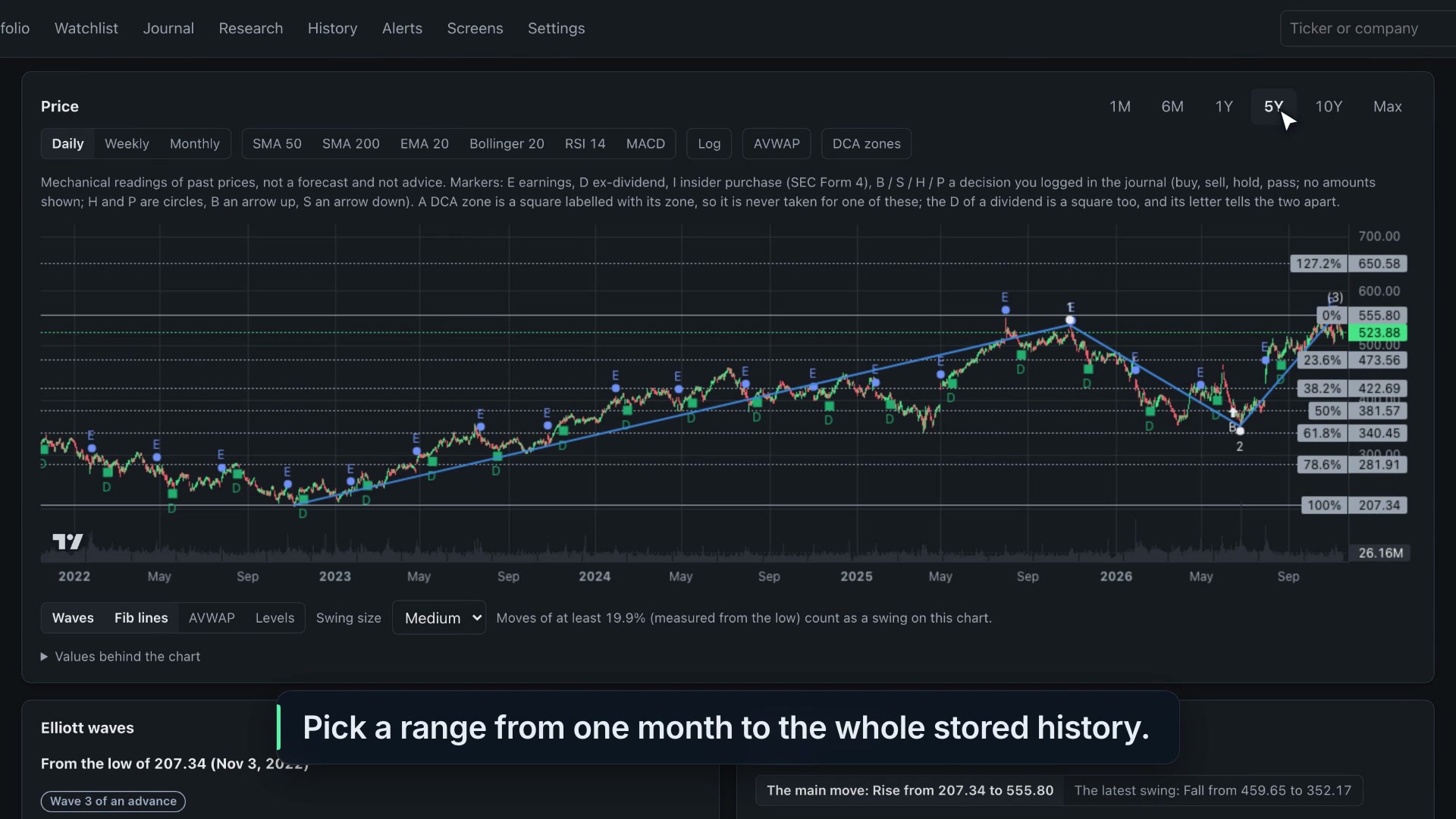 1:15Charts, indicators and chart studies in Trading DeskEvery control on a Trading Desk 1.1.1 chart, on MSFT from a fictional demo portfolio: ranges, daily, weekly and monthly bars, the log scale, SMA 50 and 200, RSI 14 and MACD, DCA zones, wave counts, Fibonacci lines and support and resistance levels.
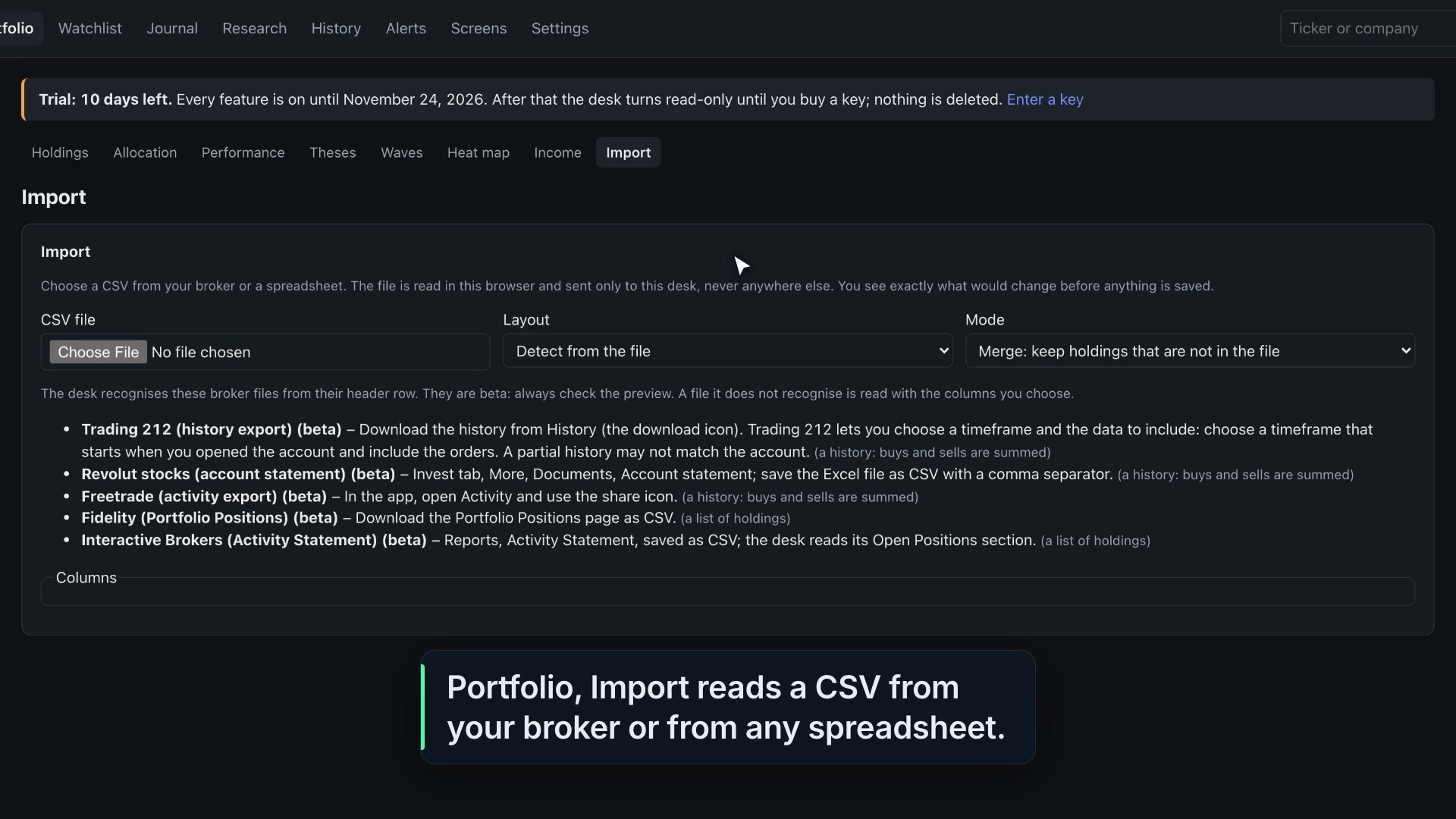 1:08Import your holdings into Trading Desk from a CSVHow Trading Desk 1.1.1 imports holdings from a broker CSV or any spreadsheet, using a small made-up file on a fictional demo portfolio: the layout, merge or replace, the preview of what will change with a check on every row, and Confirm and save.
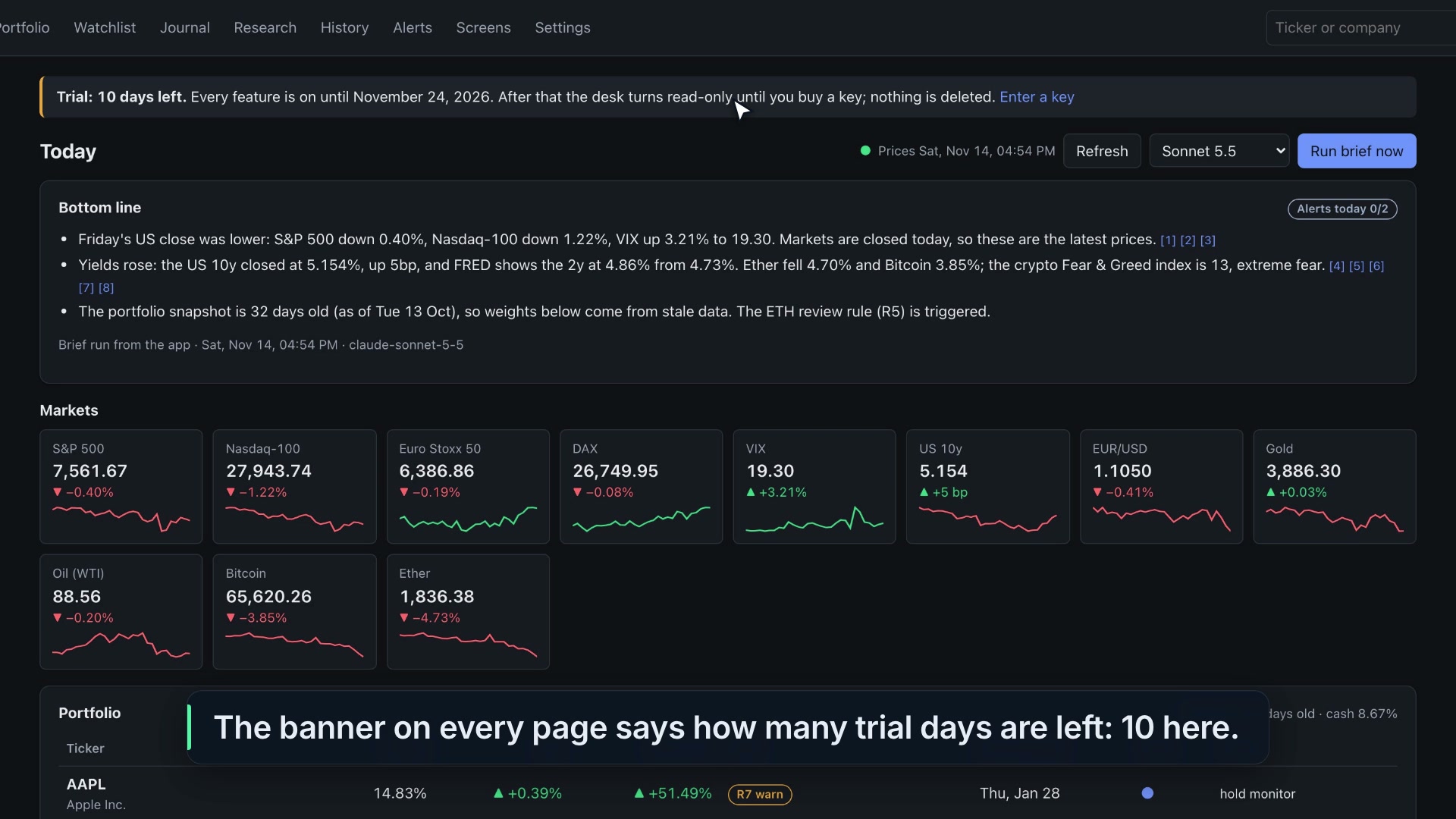 1:15Your Trading Desk licence and the 10-day free trialWhat the 10-day free trial of Trading Desk 1.1.1 includes, where a licence key goes in Settings, how it is checked on your computer, and what Beginner and Pro cover, shown on a fictional demo desk with no key.
Guides
Worked on the fictional demo portfolio, step by step, with the app's own screens.
- Guide · RulesYour portfolio rules, checked by codeWhat the ten rules check, where their results show up, and how to check a trade against your own limits before you make it.
- Guide · BriefThe morning brief, and how its numbers are checkedHow the brief is written from a pack of facts, why each percentage and price has to cite one, and what happens when a draft fails the check.
- Guide · AlertsYour own alerts and watchlist zonesWatch a price level, your own price zone or a saved condition, test it now, and get it on your phone when the schedule is on.
- Guide · ScheduleThe desk's own scheduleLet the desk write the morning brief and check your alerts by itself, with its window closed: what runs, when, and what happens when the computer is asleep or off.
- Guide · NotificationsYour briefs and alerts on your phoneSend the morning brief and your alerts to Telegram, WhatsApp or a webhook such as ntfy: step by step, what is sent and what never is.
- Guide · Screens (Pro)Ask the desk, screens and market breadthTurn a plain question into a condition you can check, run it over about 650 names, and see how often it happened before.
- Guide · ChartsCharts, indicators and chart studiesEvery control on a ticker's chart, from moving averages and RSI to DCA zones, wave counts and Fibonacci levels, and which licence has them.
- Guide · PortfolioAllocation, performance, heat map and incomeLook through your funds to what they hold, compare your record with two benchmarks, and see dividends and moves at a glance.
- Guide · ImportImport your holdings from a CSV, and export yoursBring your positions in from a broker's CSV or any spreadsheet, check every row before it is saved, and export your records whenever you like.
Help
Installing, the trial and your key, the AI providers, your data and privacy.
- Help · InstallGetting startedInstall Trading Desk on a Mac or a Windows PC, open it for the first time, and swap the demo portfolio for your own.
- Help · LicenceYour licence and the free trialWhat the 10-day trial includes, what Beginner and Pro cover, how to activate a key, and what still works if the trial ends without one.
- Help · AISetting up the AI: Claude or OpenAIThe brief, quick takes, research and Ask the desk run on your own Claude or ChatGPT account. How to sign in, choose models and cap the cost, and what the provider sees.
- Help · DataWhere your data lives, backups and privacyYour records stay on your computer, in one folder. Where that folder is, how backups work, and what leaves your computer.
- Help · FAQQuestions and answersShort answers about advice, brokers, the AI, the trial, Mac and Windows, and what happens to your data.