
Guide · Rules
Your portfolio rules, checked by code
What the ten rules check, where their results show up, and how to check a trade against your own limits before you make it.
Trading Desk checks your portfolio against limits you set, on every refresh. The checks are plain arithmetic done by code, not by the AI: a rule either passes, or it shows a result for you to look at.
What the rules check
- R1, single name: one holding's weight against your single-name limit.
- R2, theme: the combined weight of everything you tagged with a theme (for example "Big Tech").
- R3, correlated group: names that have moved together (a correlation of 0.60 or more over 60 days) against a group limit.
- R4, crypto: crypto's share of the portfolio. It has no limit until you set one.
- R5, drawdown: a holding down from what you paid, or from its 52-week high, by more than your review level. It shows as review.
- R6, stale price: a price that has not been updated for a number of weekdays.
- R7, exit plan: a holding with no thesis card that says what would prove it wrong, and no exit level.
- R8, earnings: an earnings date coming up within a few days.
- R9 and R10 only apply when you check a trade (below): a high-impact event within 24 hours, and a proposal with no size or exit level.
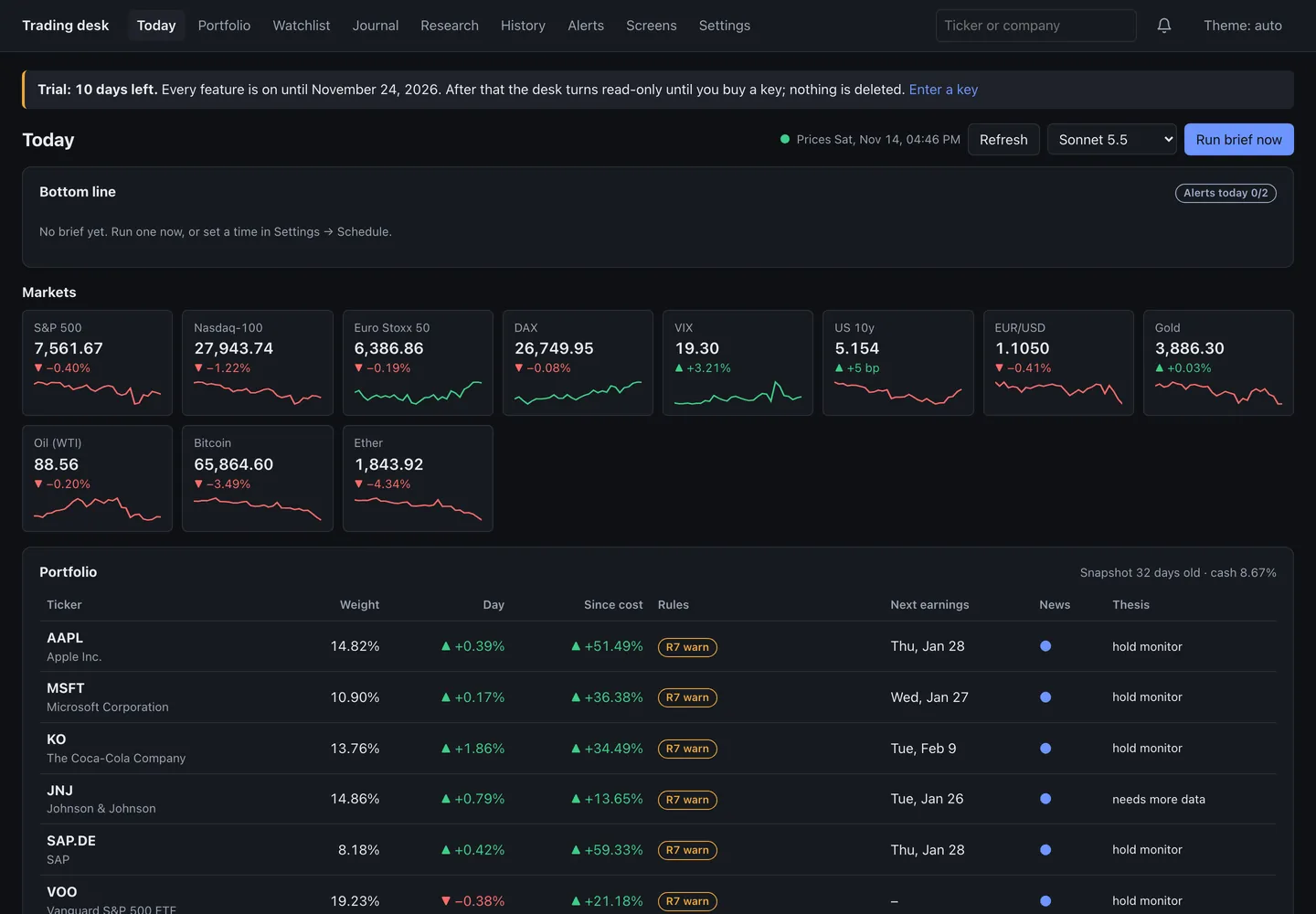
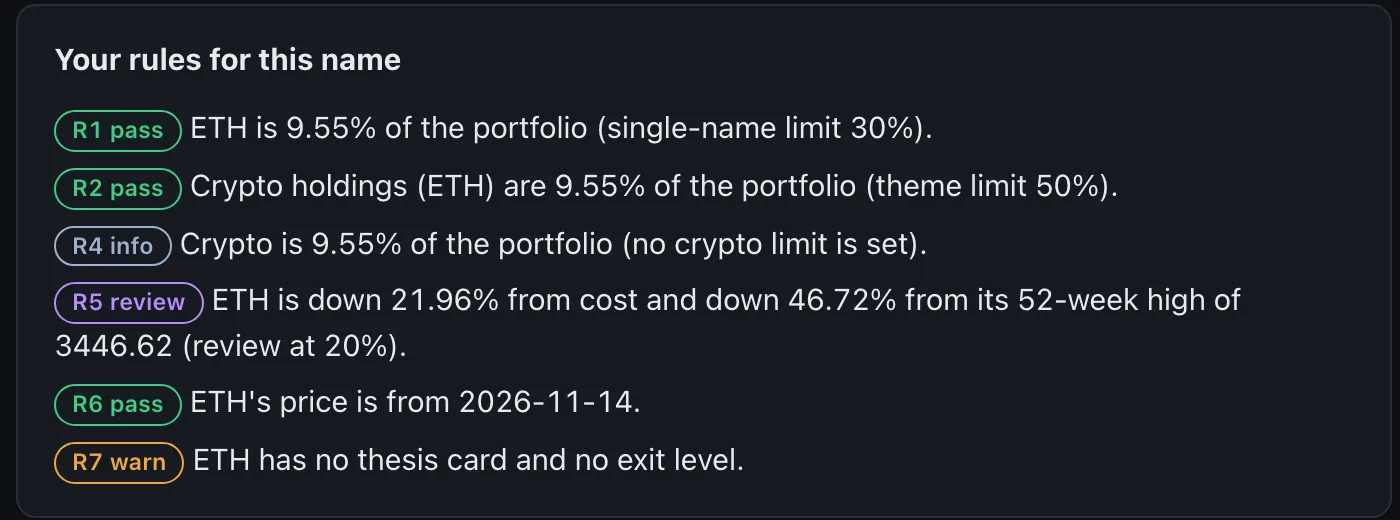
The demo portfolio ships with a 30% single-name limit, a 50% theme limit and a drawdown review at 20%. In the screenshots its ETH holding shows R5 review, because on that day ether was more than 20% below its demo cost.
Where you see the results
- Today: the Portfolio table has a Rules column. Only results that are not a pass are shown, as small labels such as R7 warn or R5 review. Hover a label to read it in full. Results for the whole portfolio (themes, groups, crypto) are listed under the table.
- A ticker's page: the card Your rules for this name lists every rule for that holding, passes included.
- Portfolio → Holdings: the Rule results card updates while you edit quantities, before you save anything.
Check a trade before you make it
On any ticker's page, Check a trade takes a direction (buy or sell), a Size, % of portfolio and an Exit level (price), then Check. It answers PASS, REVIEW or BLOCK against your limits, with the room left under each one. As the app puts it, this is "arithmetic on your own limits, not a sizing suggestion". The check is noted in your journal as a trade you considered.
Setting your own limits
From version 1.2.0 (Mac and Windows), Settings has a Rule limits card for the four main limits: single name, theme, drawdown review and stale price age. You change a limit there, or reset it to the desk's default, and the desk keeps a backup of your portfolio file before each save.
In version 1.1.1 and earlier there is no form for the limits. The four main ones (single name, theme, drawdown, stale price) are saved with your portfolio, and the others (group, crypto, earnings days) are in the desk's rules.toml settings file in its folder. If a limit is missing, the desk uses its defaults: 20% for a single name, 35% for a theme, a 25% drawdown and 5 weekdays for a stale price.
The rules never tell you what to buy or sell. A result is a fact about your own portfolio and your own limits; what you do about it is your decision.