
Help · Licence
Your licence and the free trial
What the 10-day trial includes, what Beginner and Pro cover, how to activate a key, and what still works if the trial ends without one.
The trial
Every feature is on for 10 days from the first time the desk opens, with no card. The banner on each page says how many days are left. After that the desk turns read-only until you add a key, and nothing you entered is deleted.
Beginner and Pro
- Beginner: 5 tickers across your portfolio and watchlist together, the core desk (Today, rules, allocation, performance, journal, watchlist, charts and their indicators), the morning brief and quick takes, the schedule and phone notifications, and three alerts of your own.
- Pro: any number of tickers and alerts, and everything else: deep research and thesis drafts, Ask the desk, the radar, screens and market breadth, DCA zones, wave counts, Fibonacci and support and resistance levels, anchored VWAP, insider buying, seasonality and funds priced from their NAV.
The pricing shows both. On Beginner, a Pro feature says so where you'd use it, with an Upgrade to Pro button; the upgrade costs the difference.
Activating your key
The key arrives by e-mail from keys@futureinvoked.uk a few minutes after you buy.
- Open Settings → Licence.
- Paste the key into Licence key (or drop the key file there, or choose it).
- Press Activate.
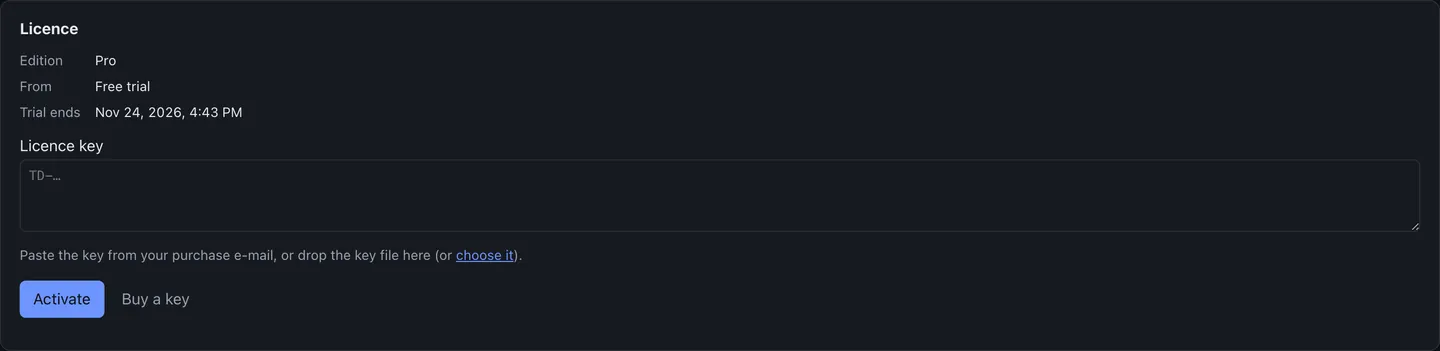
The key is checked on your computer against a public key built into the app. Nothing is sent anywhere to activate it. One key works on your own computers, Mac and Windows alike.
If the trial ends without a key
The desk becomes read-only. You can still open every page, read every record, export your holdings, watchlist and journal as CSV, and remove the schedule or a notification channel. Fetching new data, writing briefs, sending alerts and changing records wait until you enter a key.