
Guide · Screens (Pro)
Ask the desk, screens and market breadth
Turn a plain question into a condition you can check, run it over about 650 names, and see how often it happened before.
Everything on the Screens page is a mechanical reading of past and present prices: as the app puts it, "not a forecast and not advice". Screens, the radar, market breadth, Ask the desk and event studies are part of Pro (and of the free trial).
Ask the desk
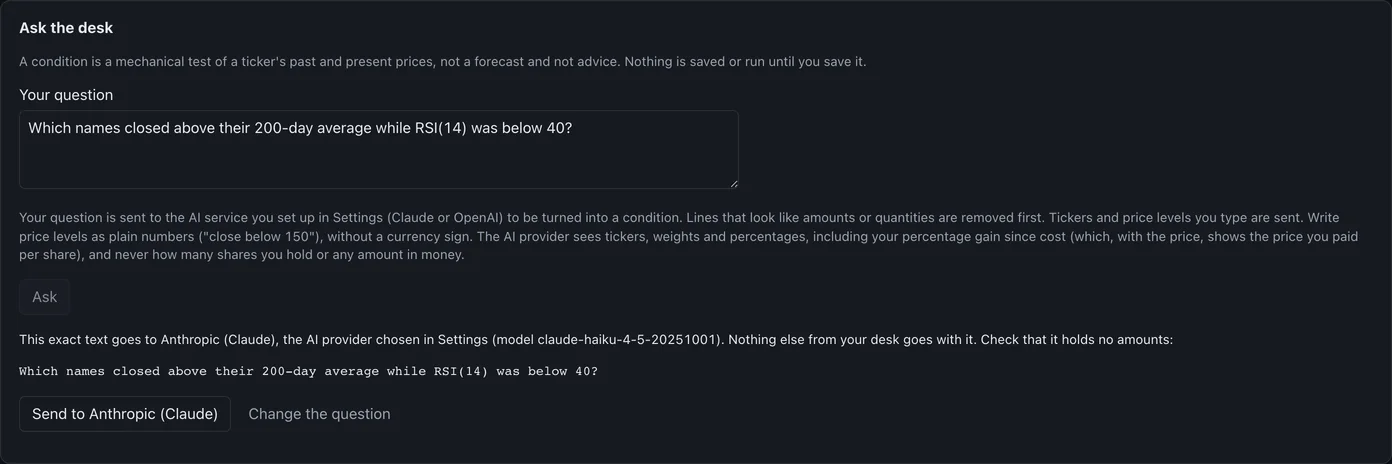
Write a question in plain words under Your question and press Ask. Before anything leaves your computer, the desk shows the exact text it will send and to whom, and waits:
Press Send to … and the desk shows how it read your question, as a condition written out by code. Check that it is what you meant, give it a name and press Save this condition, or Discard.
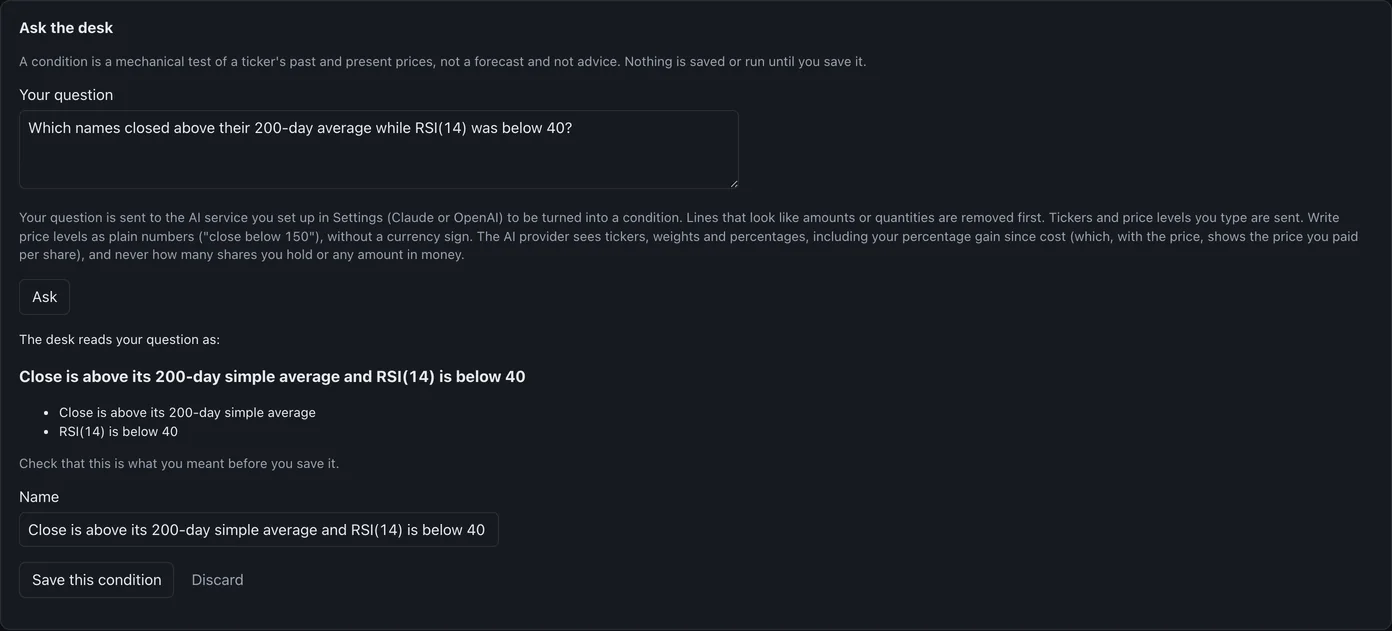
Only the question goes to the AI provider; lines that look like amounts are removed first. If you ask what to buy or sell, or what a price will do, the desk declines: it can only watch a condition you choose.
Run it as a screen
Under New screen, give it a Name, pick the Condition, and choose Names to run it on: The radar's names, My holdings or My watchlist. Tick Mention it in the morning brief if you want it there, and press Save screen. Run now shows every name that met it, with the reason in numbers, and Export CSV saves the list.
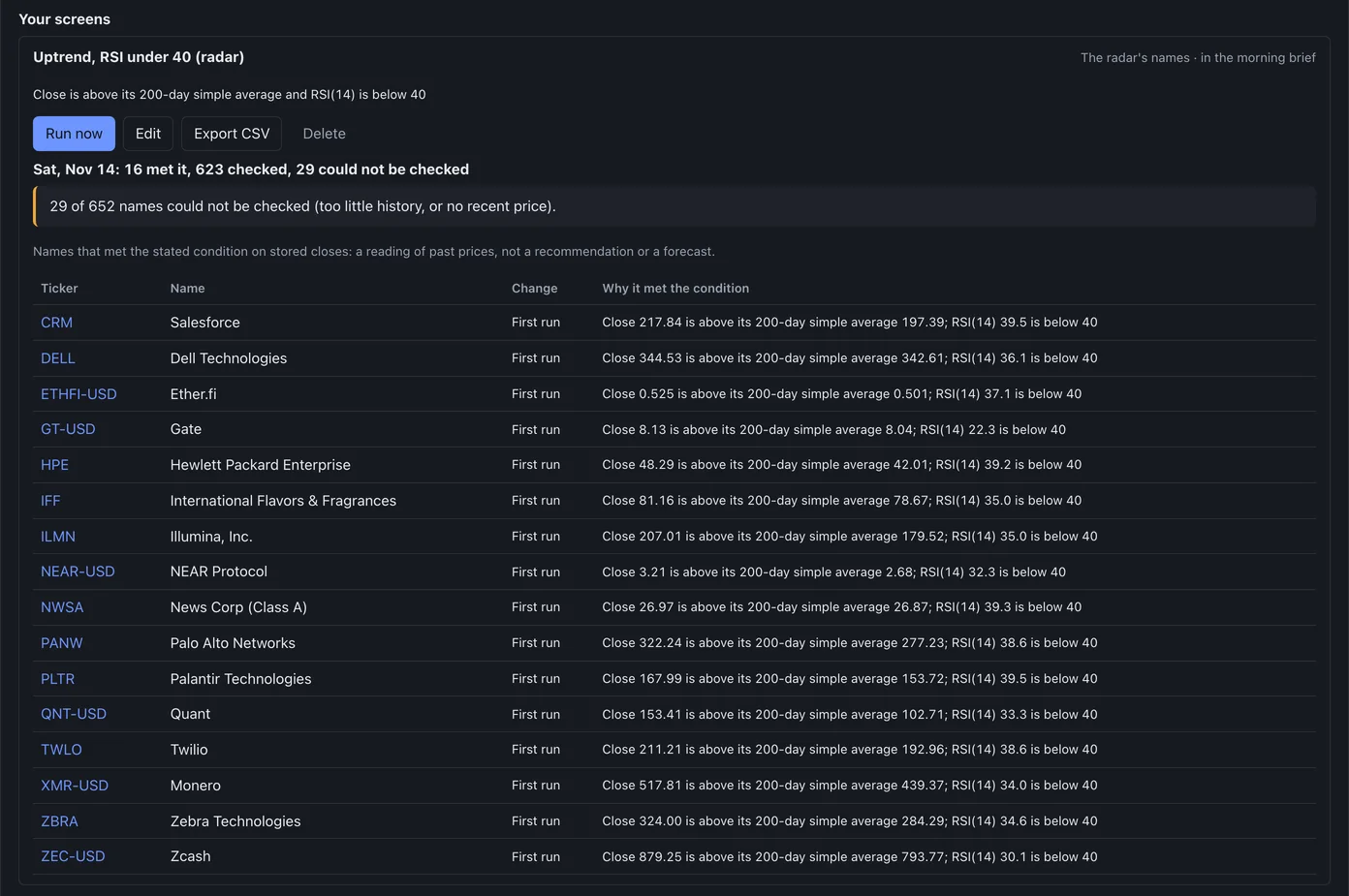
The radar and market breadth
Run radar now scans the radar's universe, large and liquid stocks and the top 100 coins (it takes a few minutes). Market breadth then counts how many of them closed above their 200-day average, and how many made new 52-week highs or lows: "a count of past closes, not a forecast".

Event studies
Pick a saved condition and up to 20 tickers, then Look at the past: the desk finds each time the condition began in the stored history and shows what the price did one, three and twelve months later. It describes the past; it is not a forecast or a recommendation.